
Sublimation Ceramic Mug - Gradient Metallic Finish
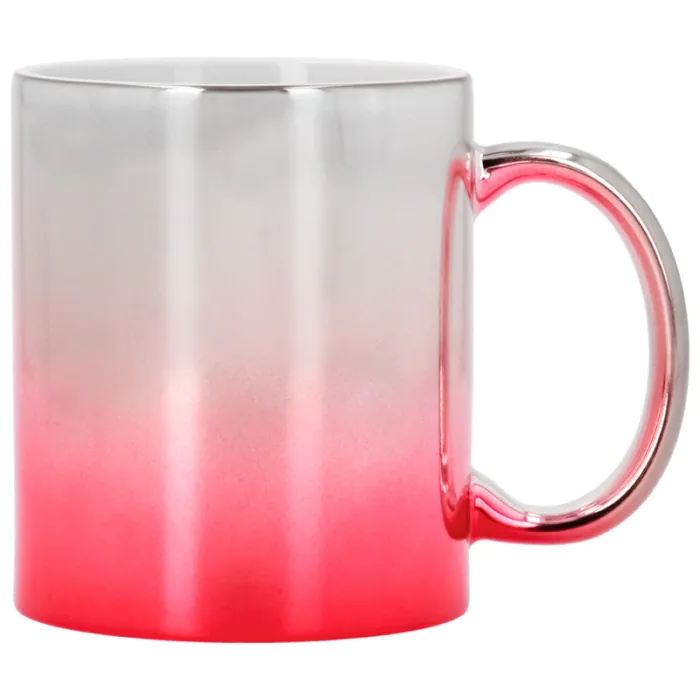
Sublimation Ceramic Mug - Gradient Metallic Finish
Mug of 11 oz printable by dye sublimation printing.
- Metallic silver coloured ceramic with gradient coloured
- White inside
- Print area: 23,5 x 9,5 cm


Related Products


More information about the Sublimation Ceramic Mug - Gradient Metallic Finish
INDEX
> Recommended instructions and parameters for dye sublimation printing
DESCRIPTION
- Suitable for personalisation with heat press and sublimation oven using mug wraps, silicone sheets or heat shrink bags
- Does not include box. In Related Products you will find some models that you can buy separately
- You can also personalise it with other techniques such as laser engraving, screen printing, transfer and self-adhesive vinyl
THINGS TO KEEP IN MIND
- The tone of the colours of the mug will be mixed with those of the image to be printed. It is recommended to use a dark design to minimise this effect
- It is not suitable for microwave use and should preferably be hand washed
DIMENSIONS
| Capacity (oz ≈ ml) | 11 ≈ 325 |
| Print area (cm) | 23.5 x 9.5 |
| Outer diameter (cm) | Ø8 |
| Inner diameter (cm) | Ø7.5 |
| Height (cm) | 9.5 |
| Thickness (cm) | 0.25 |
| Handle (cm) | 1.4 x 7.5 |
| Distance mug-handle (cm) | 4 |
| Mug weight (g) | 310 |
RECOMMENDED INSTRUCTIONS AND PARAMETERS FOR SUBLIMATION PRINTING
Parameters given as a guideline. It is recommended to carry out preliminary tests in order to make the necessary adjustments before starting production.
WITH MUG PRESS
- Print the design in mirror image
- Preheat the press to 180 ºC
- Place the paper with the printed side around the mug and fix it with heat-resistant adhesive tape
- Close the press with medium-high pressure for 200 seconds
- With the help of a protective glove, remove the freshly sublimated mug
- Remove the paper from the mug
WITH A SUBLIMATION OVEN
- Print the design in mirror image
- Heat the oven to 200 ºC
- Place the printed design around the mug and fix it with heat-resistant adhesive tape
- Adjust the clamp, or place the mug inside a heat shrink bag and heat with a heat gun, avoiding the formation of wrinkles. You can also use a silicone sheet
- Place in the oven and sublimate for 8 minutes
- Using a protective glove, remove the wrap, the silicone sheet, or the bag, depending on the accessory you used
- Remove the paper from the mug
RELATED POSTS
Tips for starting to print ceramic mugs with sublimation
How To Print Perfect And Original Mugs
Shrink bags and sublimation oven to customise like a pro
| Ref. | 951012 |
|---|
Reviews
Share your opinion
It will only take a minute, and your opinion can help other customers.
Mary Jasmin
Verified Buyer
21 Sept 2025
From Brildor Spanish
Ruth maria
Verified Buyer
17 Jun 2025
From Brildor Spanish
Questions
No questions found for this product.
Be the first to ask a question!