


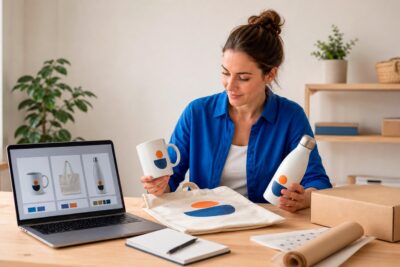
Turn your inkjet printer into a tool for entrepreneurship
Turn your inkjet printer into a tool for entrepreneurship
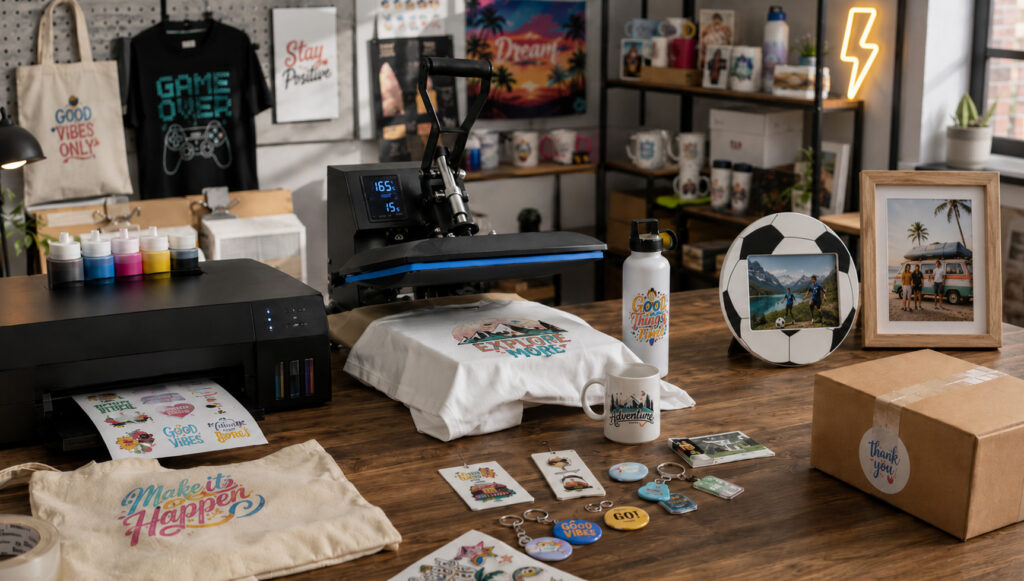
Starting a customisation business from home can seem complicated if you don't know what materials you need, what products you can create, or how to organise the first steps.
A standard inkjet printer allows you to start with a modest investment and create full-colour designs. With the right materials, you can customise textiles, create stickers, make badges, and prepare photo gifts.
In this guide, you will find a straightforward path to get started, from choosing materials to selling your first products.
ÍNDICE
- What do you need to get started?
- Personalise T-shirts and other textiles
- Create stickers and labels to sell
- Design badges with your own ideas.
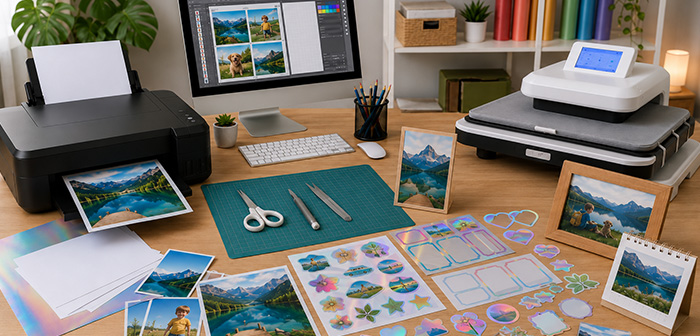
- Turn photographs into personalised gifts
- More products to expand your catalogue
- Take the step: start selling your creations
- Much more than a home printer
- Frequently Asked Questions about Inkjet Printing
What do you need to get started?
Before selecting your initial products, it's advisable to understand the basic materials and their purposes. It's not necessary to purchase everything from the first day: you can start with just one type of product and expand your collection as you learn and receive orders.
The material will depend on what you want to create, but these are the most common elements:
- Inkjet printer with standard inks.
- Computer for preparing designs.
- Transfer paper, adhesive paper or vinyl, or printable textile vinyl for inkjet printers.
- Photographic paper.
- Scissors, cutter, or cutting plotter.
- Transfer press.
- Blank products for customisation.
Start with a single technique and conduct several tests before accepting your first orders.
Personalise T-shirts and other textiles
Textile products are a good option to start with because they are in demand all year round and allow for the creation of designs for very different audiences. You can work with names, phrases, illustrations, photographs, or logos and apply them to garments and accessories.
In addition to T-shirts, you can customise tote bags, cushions, aprons, pencil cases, and toiletry bags.
To customise textiles with an inkjet printer, you can use two main materials.
Inkjet transfer paper
The inkjet transfer paper allows you to print photographs, illustrations, and full-colour designs to apply onto fabric using heat and pressure.
You only need to print, cut, and apply the design with a transfer press. Remember to choose a specific paper for light or dark fabrics and always follow the manufacturer's instructions.
Printable inkjet textile vinyl
The printable textile vinyl for inkjet printers is printed, cut, and applied to the garment with a transfer press.
It is ideal for names, logos, and designs with defined outlines. You can cut it with scissors or use a cutting plotter for greater precision. For a uniform finish, use a transfer press and adhere to the time, temperature, and pressure parameters.

Create stickers and labels to sell
Creating custom stickers is one of the easiest ways to get started with an inkjet printer. Moreover, they are becoming increasingly popular and offer numerous design and sales possibilities.
You only need paper or printable adhesive vinyl compatible with inkjet printers, print your designs, and cut them with scissors or a plotter. You can sell them as decorative stickers or create labels for packaging, events, school supplies, and small businesses.
You can create:
- Decorative stickers and sheets of stickers.
- Temporary tattoos.
- Labels with names or logos.
- Adhesives for packaging.
- School labels, for diaries or events.
- Closures for envelopes and boxes.
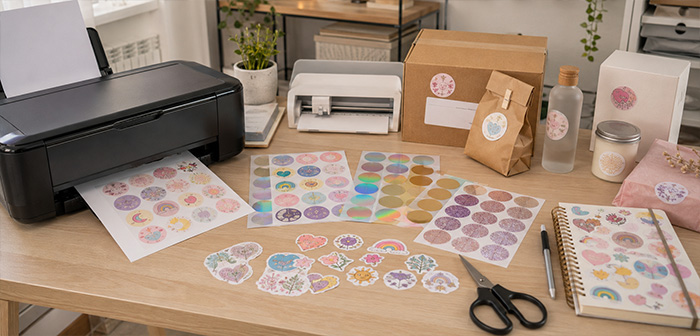
Adhesive paper is not only available in a white finish: you can also find transparent, metallic, holographic, glitter, matte, or glossy options to create collections with different effects.
Before selling them, check their water and scratch resistance. You can add a laminate to protect them if they are to be placed on bottles, computers, diaries, or frequently used items.
Design badges with your own ideas.
Customised badges are a classic that always works. They are economical, easy to store and produce, and are perfect for creating collections, event favours, or merchandising products in small quantities.
To make them, you will need:
- An inkjet printer.
- Paper for printing designs.
- A badge-making machine.
- Compatible consumables.
- A cutting tool.
You can customise them with photographs, names, phrases, illustrations, or logos.
They are suitable for:
- Celebrations and birthdays.
- Schools, academies, and associations.
- Promotional events and gifts.
- Merchandising and own collections.
Before printing, use a template adapted to the diameter of the badge. The design should include a margin around it to fit correctly onto the badge during assembly.
Depending on the machine and consumables, you can also produce magnets, keyrings, mirrors, or bottle openers. For these products, you only need to print the photograph, cut it out, and place it in the designated space.

Turn photographs into personalised gifts
Gifts with photographs are a great way to start if you want to work on demand. You don't need to prepare large quantities because each product is made with the image provided by the customer.
In many cases, it is not necessary to transfer the ink directly onto the object. It is sufficient to print the photograph, cut it out, and place it within the space prepared for the image.
You can customise:
- Photo frames and mounts.
- Magnets with inserted photo.
- Christmas Baubles.
- Calendars.
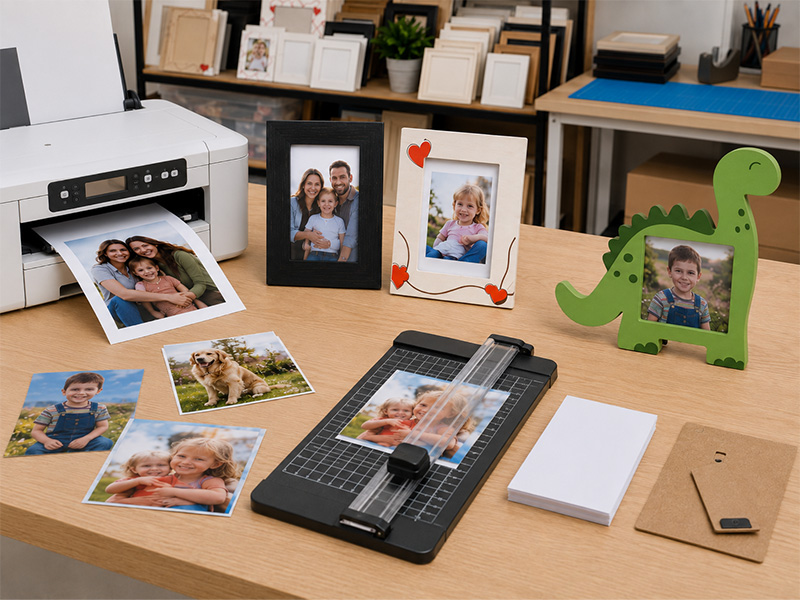
Use photographic paper or a suitable medium to achieve a more polished finish. You can also add names, dates, or messages to create gifts for all types of occasions.
Before printing, ensure that the image has a high resolution, as a small, dark, or blurry photograph may lose quality.
More products to expand your catalogue
Once you have mastered the basic products, you can use the same printer to expand your catalogue and discover which options are in higher demand.
Cards and stationery
Create invitations, greetings, thank you cards, gift vouchers, bookmarks, or elements for scrapbooking. You can sell them individually or group them into themed collections.
Packaging for small businesses
You can also reach out to other entrepreneurs by offering logo stickers, labels, thank you cards, care instructions, or closures for boxes and envelopes.
Products for events
Prepare invitations, labels, badges, stickers, name cards, or personalised keepsakes for celebrations.
You can also group several items into a customised pack to facilitate the purchase and increase the order value.
Take the step: start selling your creations
Once you have mastered the process, prepare a small and easy-to-produce catalogue with the products you are most proficient in.
Before setting the price, calculate all the costs: blank product, ink, paper or vinyl, packaging, electricity, labour time, testing, commissions, and shipping. Remember that your time is also part of the product's value.
Prepare clear photographs and showcase your products on social media, marketplaces, an online store, fairs, or events.
Working on demand will allow you to keep blank products and customise them when you receive an order, reducing stock and initial risk. Over time, you will be able to identify which items perform better and expand the catalogue.

Much more than a home printer
With the right materials, your inkjet printer can become a tool for creating personalised products and launching your own project from home. Start with a simple idea and let it grow with each order.
Frequently Asked Questions about Inkjet Printing
Can I use a home printer?Yes. You can use an inkjet printer with standard inks, as long as the paper or vinyl is compatible with this type of printing.
What can I customise with an inkjet printer?You can create t-shirts, tote bags, stickers, labels, badges, cards, and photo gifts, among other products.
Do I need a transfer press?Only for applying transfer paper or printable textile vinyl onto garments and textiles. It is not necessary for creating stickers, labels, badges, or products with photographs.
Can I cut the designs with scissors?Yes, especially if they are simple shapes. For more detailed designs or to produce more quickly, it is advisable to use a cutting plotter.
Are inkjet stickers water-resistant?It depends on the adhesive paper. Some materials offer greater resistance, while others require a protective laminate to better withstand water, scratches, and frequent use.
Can I use the same printer for sublimation?It is not recommended. It is best to use one printer for regular inks and another dedicated exclusively to sublimation inks.
Is it necessary to start with many products?No. The most practical approach is to start with a small catalogue, conduct tests, and expand the range according to demand and orders.
If you have any questions, share them with us in the comments. Our team will be delighted to provide you with answers and assistance. You can also contact our Customer Service department directly for additional help.
Remember that on our social media, we post a large number of ideas, offers, and the latest news related to various personalisation techniques daily. To stay up to date with everything, follow us on Instagram and TikTok. And don't forget to subscribe to our YouTube channel to continue learning with us!
See you in the next post!
👇 Other articles that may be of interest to you:
🎁How to start a personalised gifts business with a profitable catalogue
🚀 8 reasons to embark on starting a sublimation business
🛒 How to Sell Personalised Products on Etsy: Step-by-Step Guide to Get Started
🔥 What type of laser do you really need for your business?
WE WANT TO KNOW WHAT YOU THINK
You may also like