


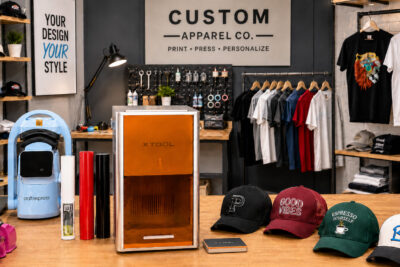
🚀 xTool M2: full-colour printing, engraving, and laser cutting in a single machine
🚀 xTool M2: full-colour printing, engraving, and laser cutting in a single machine
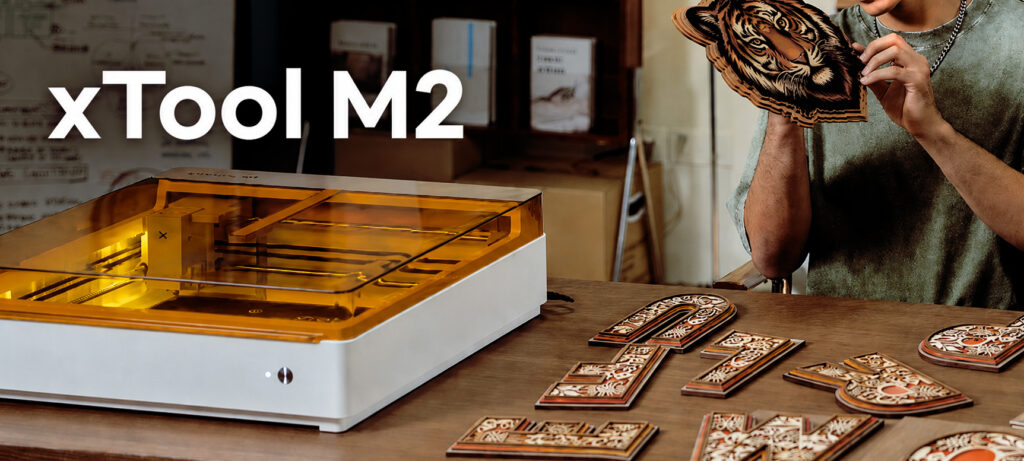
The xTool family continues to grow, and the new xTool M2 arrives with a very different proposition: combining colour printing, laser engraving, and laser cutting in a single machine.
Yes, print, engrave, and cut from the same equipment. A particularly interesting innovation for personalisation businesses, product creators, and small workshops looking to expand their catalogue without filling up space with machines.
ÍNDICE
😲 The xTool M2 changes the workflow.
Until now, to manufacture printed and cut products, you normally needed several machines:
- A printer
- An independent cutting system
- And, in many cases, another machine for engraving.
The new xTool M2 integrates the entire process into a single machine, combining colour printing, laser engraving, and laser cutting within the same workflow.

🔥 What makes the xTool M2 different?
The difference with the xTool M2 is that it allows you to go from an idea to a finished product with fewer steps.
You can print a colour design, cut it precisely, or add a laser engraving without moving the material between multiple machines.
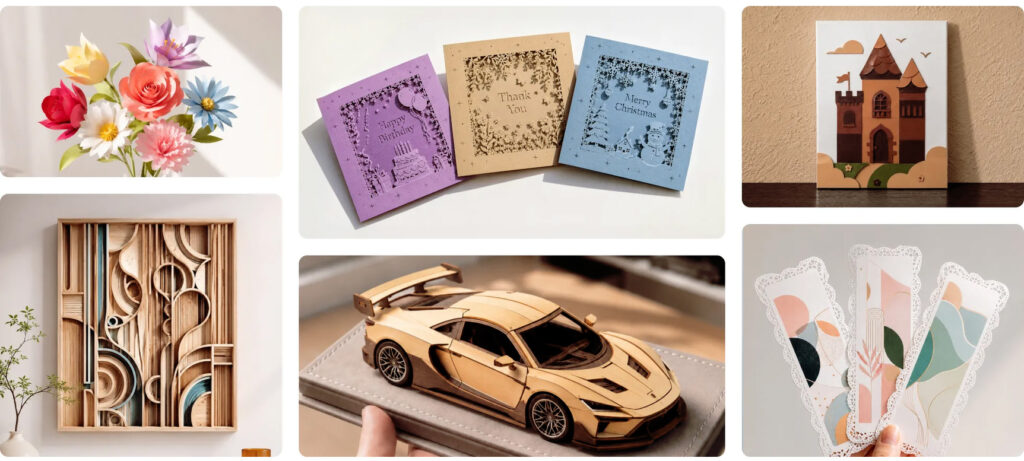
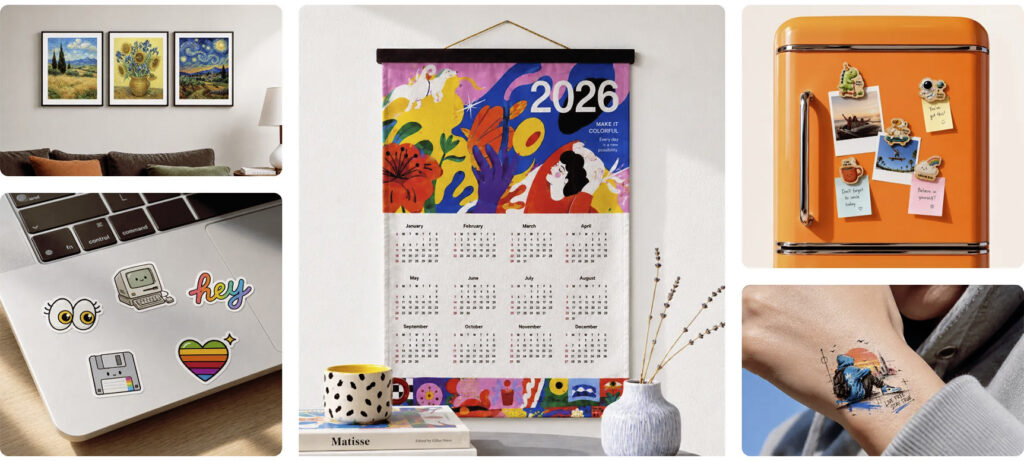
👉 It can be especially useful for creating:
- Pegatinas
- Custom packaging
- Creative stationery
- Merchandising
- Decoration
- Customised products
💰 A machine designed to pay for itself quickly
The xTool M2 allows you to create customised products with a selling value much higher than the cost of the material. This means that the initial investment can be recouped with just a few well-executed projects.
It's not just about engraving or cutting pieces: you can offer finished, customised products that are ready to sell.
- Custom signs from €299
- Welcome signs from £129
- Engraved models or mock-ups from £89
- Custom frames from £59
- Engraved wooden boards from £29
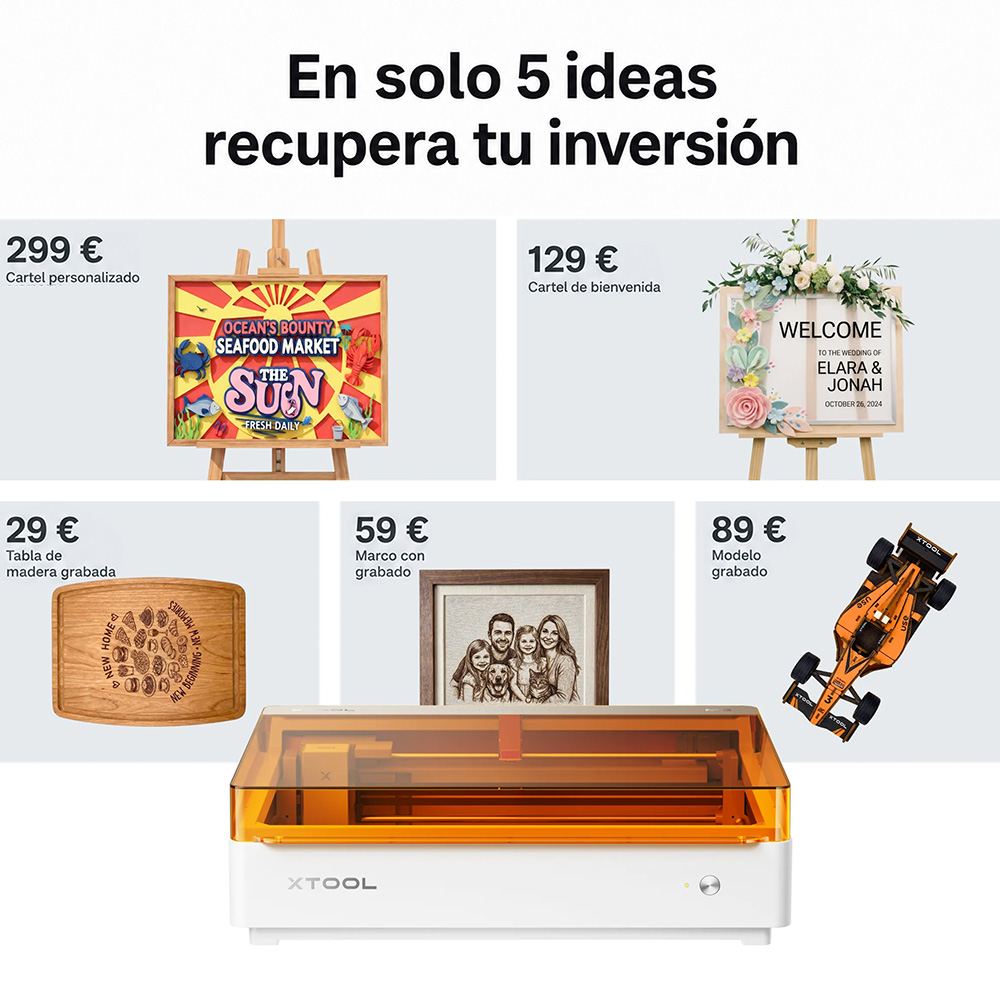
With this type of work, you don't need large productions to start making the machine profitable. A few orders with a medium-high ticket can help you recoup the investment and continue generating profit with new personalised products.
⚡ Main features of xTool M2
🎨 CMYK Printing
The major innovation of this machine is its ability to print in full colour directly onto various materials compatible with the optional printing module:
- Adhesive paper
- Cardstock
- Wood
- Canvas
- Leather
- Felt
- Compatible fabrics
✨ Laser engraving and cutting
The xTool M2 can be configured with different laser modules to adapt the machine to the type of material and production:
- 10 W Diode Laser: the most basic option for engraving and cutting materials such as wood, paper, cardboard, leather, or felt.
- 20 W Diode Laser: provides more power for more demanding cuts and a faster work pace.
- 3 W Infrared Laser (optional): for marking materials such as metals, anodised aluminium, or certain plastics.
With the 20 W module, you can cut up to 10 mm of basswood and up to 8 mm of compatible black acrylic in one pass.
📷 Dual integrated camera
The xTool M2 assists in placing the design with greater precision, viewing a preview of the work, and reducing trials before engraving or cutting, thanks to its dual integrated camera system:
- 5 MP panoramic camera
- 2 MP detail camera
This is very useful when working with pre-made pieces, small materials, or designs that require precise placement.
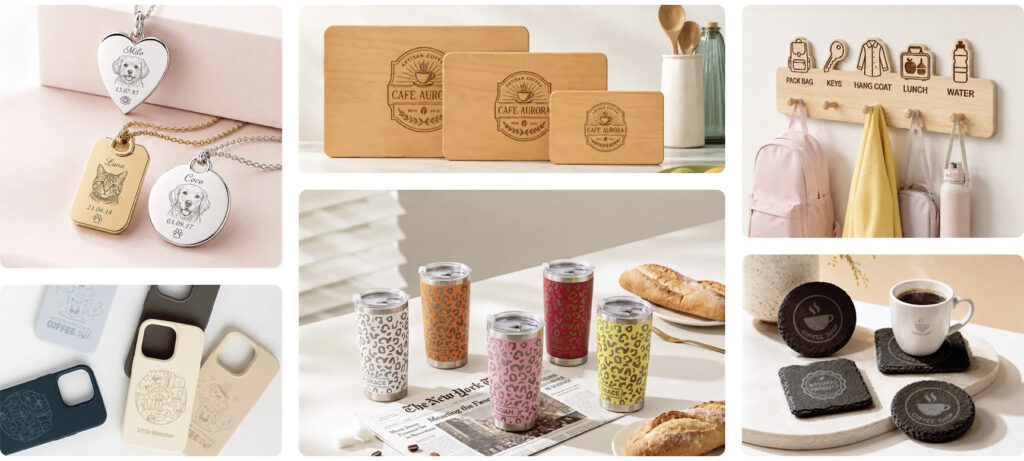
🍶 Engraving of cylindrical objects
It can work with cylindrical pieces using the RA3 Lite rotational accessory, without the need to add an additional riser base.
- Bottles
- Glasses
- Mugs
- Balls
- Vasos térmicos
- Rings
🖥️ Simple and free software
The xTool M2 operates with xTool Studio, xTool's free software for designing, editing, and controlling the machine from a single environment.
From the software, you can prepare designs, adjust parameters, import files, position the work on the machine's area, and send the project to production easily.
Additionally, xTool Studio includes very useful resources to get started more quickly:
- Ready-to-use templates
- Design elements
- Fonts
- Preview of the result
- Parameter settings
- Options for rotary engraving
This facilitates the preparation of tasks and helps reduce testing, both in simple projects and in more comprehensive custom productions.
🧩 Compatible with over 300 materials
It can work on more than 300 different materials for printing, engraving, or cutting.
- Wood
- Paper
- Cardboard
- MDF
- Leather
- Glass
- Ceramics
- Cork
- And many more!
Who is the xTool M2 designed for?
The xTool M2 can be particularly suitable for businesses looking to create customised products in small formats without relying on multiple machines.
It may be of interest to:
- Personalisation businesses looking to expand their production capabilities
- Crafters and makers seeking a versatile machine for creative projects
- Entrepreneurs looking to start with a multifunctional device
- Small workshops that work on customised pieces or small series
- Product creators who need to test designs and finishes
- Educational centres or creative spaces seeking an easy-to-use solution
Above all, it is designed for those who want to combine printing, engraving, and laser cutting in a single workspace.
xTool M1 Ultra or xTool M2: quick comparison
With the arrival of the new xTool M2, it is natural for many users to wonder what differences exist compared to the xTool M1 Ultra.
Although both machines share the concept of combining multiple technologies in a single device, their approach is quite different.
| Feature | xTool M2 | xTool M1 Ultra |
|---|---|---|
| Technologies | CMYK printing, engraving, and laser cutting | CMY printing, cutting with a blade, drawing with a pen, engraving and laser cutting |
| Maximum work area | 42.6 x 32 cm | 30 x 30 cm |
| Laser type | Diode: 10W or 20WIR: 3W | Diode: 10W or 20W |
| Maximum speed | 600 mm/s | 400 mm/s |
| Colour printing | CMYK ink | CMY ink |
| Optional modules | CMYK printing, IR laser | CMY printing |
| Positioning system | 5 MP panoramic camera2 MP detail camera | Snapshot PreviewPrecise Positioning |
| Engraving of cylindrical objects | Does not require a booster base | Requires a booster base |
The xTool M2 is not designed to replace all xTool models, but rather to address a very specific need: combining colour printing, engraving, and laser cutting into a more compact workflow.
For businesses that work with customised products, stickers, packaging, or small-format creative pieces, it can be a very interesting machine to keep an eye on.
Frequently Asked Questions about the xTool M2
What does the xTool M2 do?The xTool M2 combines full-colour printing (CMYK), laser engraving, and cutting in a single machine.
Does the xTool M2 print in colour?Yes. It features CMYK printing for use on various compatible materials.
What is the power of the xTool M2?It is available with 10 W and 20 W laser modules, as well as a 3 W infrared accessory.
Can it engrave metal?Yes, especially when using the optional infrared module.
Is the xTool M2 suitable for making stickers?Yes. One of its most interesting features is the ability to combine printing and cutting within the same process.
What materials can it cut?Wood, cardboard, paper, leather, MDF, felt, and certain compatible acrylics.
What is the difference between xTool M2 and xTool M1 Ultra?The xTool M2 is more focused on CMYK printing, engraving, and laser cutting. The xTool M1 Ultra is more craft-oriented and combines laser, CMY, blade, and pen.
If you have any questions, share them with us in the comments. Our team will be delighted to provide you with answers and assistance. You can also contact our Customer Service department directly for additional help.
Remember that on our social media, we daily share a wealth of ideas, offers, and the latest news related to various personalisation techniques. To stay updated on everything, follow us on Instagram and TikTok. And don't forget to subscribe to our YouTube channel to keep learning with us!
See you in the next post!
👇 Other articles that may be of interest to you:
✂️ Laser cutting of textile vinyl: create customised caps with a 3D effect
🔥 Personalise thermoses with laser engraving: an opportunity for your catalogue
⚡ Screen printing with laser machines: when the technique evolves
🌪️ Atomstack Hurricane: Is it the new CO₂ laser that changes everything?
WE WANT TO KNOW WHAT YOU THINK
You may also like