


🖌️ The 10 best free photo editors to customise your products
🖌️ The 10 best free photo editors to customise your products
If you own a small product customisation business, you know how crucial it is to have the right tools to excel in a competitive market. A well-edited image can be the key to capturing your customers' attention.
However, finding free photo editors that are both powerful and easy to use can be challenging. Does that sound familiar? Keep reading to discover the best free image editors that will help you take your customisations to the next level.
ÍNDICE
Free or paid photo editors?
We understand that editing a photo and creating an optimal final artwork is crucial for transferring your designs to customisable products. Therefore, we emphasise the importance of photographic post-production, image processing, and file exportation to ensure a quality finish.
For a complex task, it is recommended to use advanced programs such as Adobe Photoshop or Lightroom. These applications offer expert tools for colour adjustment, profiles, and processing of various formats, although they can be complex for beginners. Fortunately, there are also similar applications available online with advanced options that make photo editing easier, many of which are free and accessible for entrepreneurs.
These free photo editors are perfect for entrepreneurs starting in personalisation, offering advanced tools in premium versions through payment or subscription. Many allow you to work online without the need for installation, thus facilitating the creative process. With these programs, you can create designs applicable to a wide range of customisable products such as mugs, cushions, T-shirts, towels, bags, backpacks, thermoses, magnets and calendars. This will help you diversify your offering and meet your customers' demands efficiently and professionally.
GIMP AFFINITY
The professional graphic design suite without subscriptions
Affinity is a suite of graphic design and image editing software developed by Serif, consisting of three main applications: Affinity Photo, Affinity Designer, and Affinity Publisher. These tools are renowned for their professional power, offering exceptional performance and advanced features at a one-off price, without the need for subscriptions. Ideal for designers, photographers, and content creators, Affinity applications provide a robust and accessible alternative to traditional design software.
- Pros:
- One-time payment, no subscriptions.
- Fast and optimized performance, even with large files.
- Intuitive and professional interface.
- Compatibility with macOS, Windows, and iPad.
- Advanced features such as support for vector graphics and RAW editing.
- Cons:
- Fewer extensions and plugins compared to more popular programs.
- It requires familiarisation for new users in graphic design.
- Smaller community and fewer learning resources in some languages.
GIMP
A free and open-source image editor with advanced features
GIMP (GNU Image Manipulation Program) is one of the most comprehensive image editors available for free. It offers advanced tools for editing and creating graphics, such as the ability to work with layers, filters, and special effects. With GIMP, you can perform anything from basic colour and brightness adjustments to complex image manipulations and detailed graphic creations.
- Pros:
- Equipped with advanced options.
- Without ads or limitations.
- It supports a wide range of file formats.
- Large community and support.
- Downloadable for Windows, macOS, and Linux.
- Cons:
- Steep learning curve.
- Less intuitive user interface for beginners.

CANVA
Web-based image editor, ideal for quick and easy designs
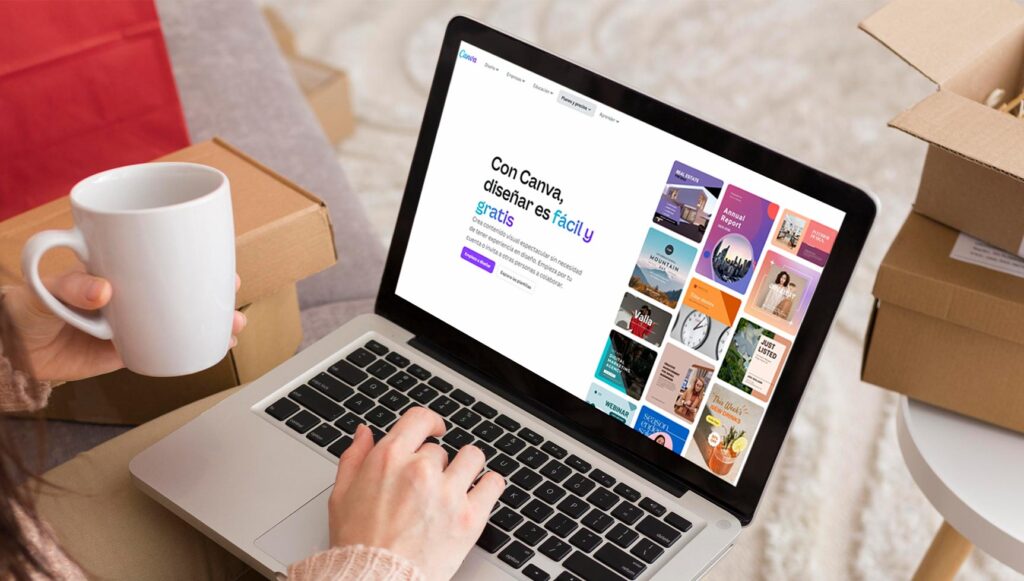
Canva is an online photo editor that allows you to create graphics and edit photos with an intuitive interface and a vast array of templates. You can design everything from social media posts to brochures and presentations. Canva provides tools such as photo filters, text adjustments, and an extensive library of images and graphic elements.
- Pros:
- Easy to use.
- Wide variety of templates and free resources.
- Accessible from any device with internet.
- Includes free cloud storage to save projects.
- Online availability.
- Cons:
- Advanced functionalities require a subscription.
- Limited in terms of professional image editing.

PIXLR X
Online photo editor with powerful tools and a user-friendly interface
Pixlr X offers essential and advanced editing tools directly in the browser, with no downloads required. It is ideal for adjusting colours, cropping images, and applying effects and filters. Pixlr X allows for quick and efficient edits, and is particularly useful for users who need to edit images occasionally.
- Pros:
- Quick and accessible.
- Good range of editing tools.
- Modern and user-friendly interface.
- Online availability.
- Cons:
- Requires an internet connection.
- Less powerful than the Pixlr Editor flash version.
- Advertising in the free version.
FOTOR
Online photo editor with basic and advanced features
Fotor offers photo editing, graphic design, and collage-making tools on an accessible web platform. With Fotor, you can adjust colours, apply beauty effects, and create attractive designs using predefined templates. It is ideal for those who need an all-in-one tool for quick edits and design projects.
- Pros:
- Intuitive interface.
- Automatic photo enhancement tools.
- Graphic design functions.
- Online availability.
- Cons:
- Advanced features require payment.
- Advertising in the free version.

PHOTOPEA
Online image editor that simulates Photoshop
Photopea is an online tool that offers a Photoshop-like editing experience, compatible with PSD files. It allows for advanced editing such as working with layers, applying filters and effects, and fine-tuning image details. Photopea is ideal for those familiar with Photoshop but looking for a free alternative.
- Pros:
- Compatible with PSD, XCF, Sketch files, etc.
- Extensive editing features.
- No installation required.
- Online availability.
- Cons:
- The interface can be overwhelming for beginners.
- Advertisements in the free version.
KRITA
Free digital painting and image editing software
Krita is an open-source tool primarily designed for illustrators, but it also offers powerful image editing features. With Krita, you can create detailed illustrations, work with layers, and apply numerous painting effects. It is ideal for digital artists and those who need a robust tool for creative editing.
- Pros:
- Advanced drawing and painting tools.
- Customizable interface.
- Large community of users.
- Downloadable for Windows, macOS, and Linux.
- Cons:
- Less intuitive for basic photo editing.
- Requires installation.
PAINT.NET
Free and easy-to-use image editor for Windows
Paint.NET is an image editing software for Windows that combines ease of use with advanced tools. It supports layers, special effects, and advanced selection tools. It is ideal for quick edits and less complex graphic design tasks.
- Pros:
- Simple and clear interface.
- It supports layers and special effects.
- Fast and light.
- Cons:
- Only available for Windows.
- Less powerful than other advanced editors.
INKSCAPE
Free and open-source vector graphics editor
Inkscape is a vector graphics editing tool that also allows for the manipulation of raster images. It is ideal for creating logos, illustrations, and complex graphics. Inkscape supports formats such as SVG, PDF, EPS, and AI, and offers advanced vector drawing tools.
- Pros:
- Powerful vector graphics editor.
- Multiplatform.
- It supports a wide variety of formats.
- Downloadable for Windows, macOS, and Linux.
- Cons:
- Moderate learning curve.
- Less suitable for complex photo editing.

BEFUNKY
Online photo editor with a focus on simplicity and creativity
BeFunky is an online tool that simplifies photo editing and graphic creation with its intuitive interface and creative tools. You can apply effects, add text, and create collages effortlessly. BeFunky is perfect for users seeking a quick and easy solution for their creative projects.
- Pros:
- Very easy to use.
- A large number of effects and filters.
- Collage and graphic design function.
- Online availability.
- Cons:
- Advanced features require a subscription.
- Advertising in the free version.
DARKTABLE
Free and open-source RAW photo editor
Darktable is a photography workflow application and RAW developer, ideal for professional photographers. It offers advanced tools for editing RAW photos, such as exposure adjustment, colour correction, and noise reduction. Darktable is perfect for those who work with RAW files and need detailed control over every aspect of their photos.
- Pros:
- Excellent handling of RAW files.
- Advanced editing tools.
- Open source and free.
- Downloadable for Windows, macOS, and Linux.
- Cons:
- Requires prior knowledge of photo editing.
- Less beginner-friendly interface.
Do you prefer to save time in creating designs?
If you're looking to optimize time in creating custom designs, discover Vexels. This tool offers a vast library of ready-to-use graphics and templates, making it easier to create unique products without having to start from scratch. It's ideal for entrepreneurs who want to maintain quality and originality in their customizable offerings.
If you join us through our recommendation, you will enjoy an EXTRA 20% discount on your subscription with the code BRILDOREXTRA20. If you wish to take advantage of this offer on subscription plans, simply click on this link and add the code at checkout. For more details, read our full post on how Vexels can transform your design process: Vexels: The solution for creating personalised designs.
▶️ DESIGNS, VECTORS AND IMAGES for printing in Sublimation, screen printing, DTF, DTG... - VEXELS

These free image editors offer a variety of tools and features that can help you enhance the quality of your custom products. Which one do you use?
If you have any questions or think we've overlooked any detail, please feel free to leave us a comment. We are here to assist you. Additionally, you can contact our Customer Service team for more information or to resolve any concerns.
Every day we share a plethora of ideas, offers, and updates on various personalisation techniques on our social media. To stay updated, follow us on Instagram and Facebook. Oh, and don't forget to subscribe to this Blog and our YouTube channel to continue learning with us.
See you in the next post!
👇 Other articles that may be of interest to you:
🤔 Why have the prices of sublimation mugs increased? New 79% tariff on food-grade ceramics

🏞️Express personalisation on the Camino de Santiago: what to sell and how to do it in minutes

🏆How to turn your hobby into a profitable business

🎁 How good packaging can make your customisation business stand out
WE WANT TO KNOW WHAT YOU THINK
You may also like