


🤔 xTool vs. AtomStack: which is better if you're just starting out?
🤔 xTool vs. AtomStack: which is better if you're just starting out?
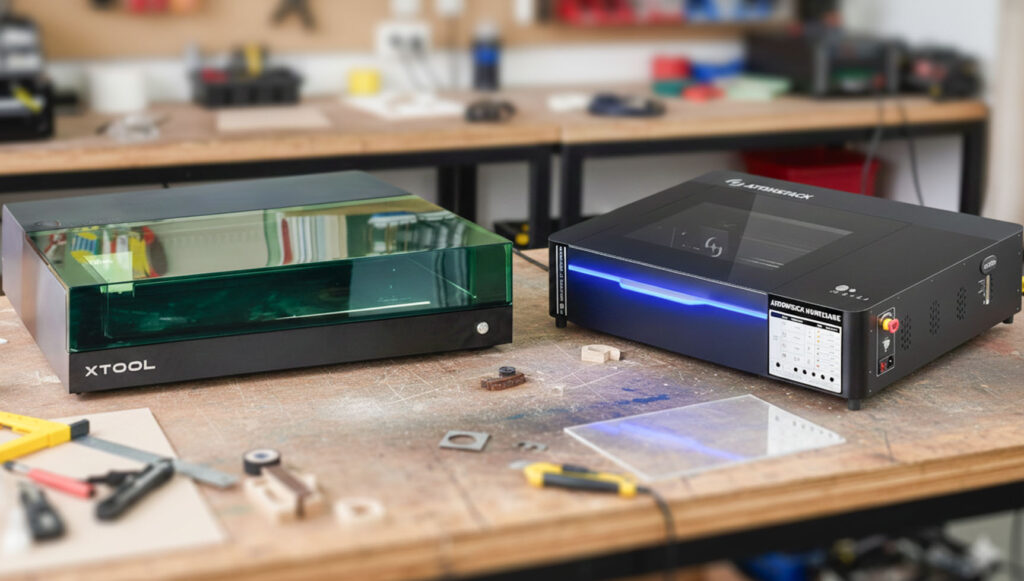
If you are considering starting in laser engraving and cutting, it is common to end up comparing xTool vs AtomStack. Both brands are designed for entrepreneurs, freelancers, and small businesses who want to take their first steps with laser technology and need machines that are reliable, accessible, and easy to integrate into their workflow.
It is important to make it clear from the start: xTool and AtomStack machines perform the same functions. They allow you to engrave and cut the same materials and cater to everything from advanced domestic use to a small workshop. The real difference is not in the results, but in how each brand approaches that first step and the nuances that might suit your starting style better. In this post, you will find the essential insights to decide between xTool and AtomStack without getting bogged down in technical specifications.
ÍNDICE
Two brands, one starting point
Both brands offer CO₂ laser machines, designed for cutting and production in organic materials such as wood or acrylic, and dual laser machines (diode + infrared), aimed at more versatile customisation that combines organic engraving and metal marking.
From there, the differences in approach become apparent. xTool also focuses on portable laser machines, designed for on-site engravings or projects where moving the piece is not feasible. AtomStack, on the other hand, provides a complementary alternative with a CNC milling machine, which allows for creating reliefs and machining with a finish different from that of a laser.
With this common starting point, the key to choosing lies not so much in the brand but in the technology behind each machine. Understanding what each type of laser does and in which cases it fits best is what will truly make the difference when starting out.
CO₂ Laser: What It Engraves, What It Cuts, and When to Choose It
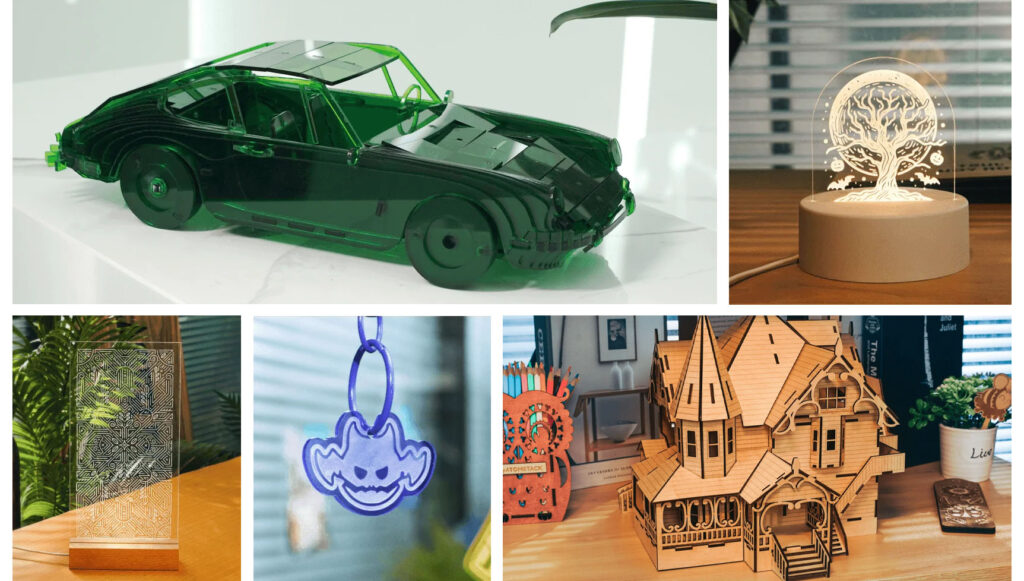
The CO₂ laser is a well-established technology in professional laser engraving and cutting, particularly suitable when the aim is real cutting and continuous production.
What does a CO₂ laser do?
👉Cutting and Engraving
- Acrylic and methacrylate (including transparent ones)
- Wood, plywood, MDF
- Fabric, leather, cardboard, paper
- Felt
👉Engraving only
- Stone, slate, glass
- Coated metals

AtomStack Hurricane It is a closed CO₂ machine, designed for professional and continuous use. It is aimed at real cutting and production, especially for materials like wood or acrylic, and is well-suited for workshops or businesses that have been clear about this type of work from the start.
xTool P2S They are also enclosed CO₂ machines with an equally professional approach. They offer production-level cutting and engraving, but with a stronger focus on ecosystem integration, automation, and the overall user experience within the xTool environment.
Within the xTool catalog, the xTool P3 also appears as an evolution of the P2 and P2S, aimed at users who already know this technology is the right fit for them and are looking for greater productivity and control.


Dual Laser: Diode + Infrared, Versatility to Begin
The dual laser (diode + infrared) combines two wavelengths in a single machine, offering greater versatility from the start.
What does a dual laser allow you to do?
- Engrave wood, leather, and cardboard
- Cut compatible thin materials
- Marking metal (stainless steel, anodised aluminium, etc.)
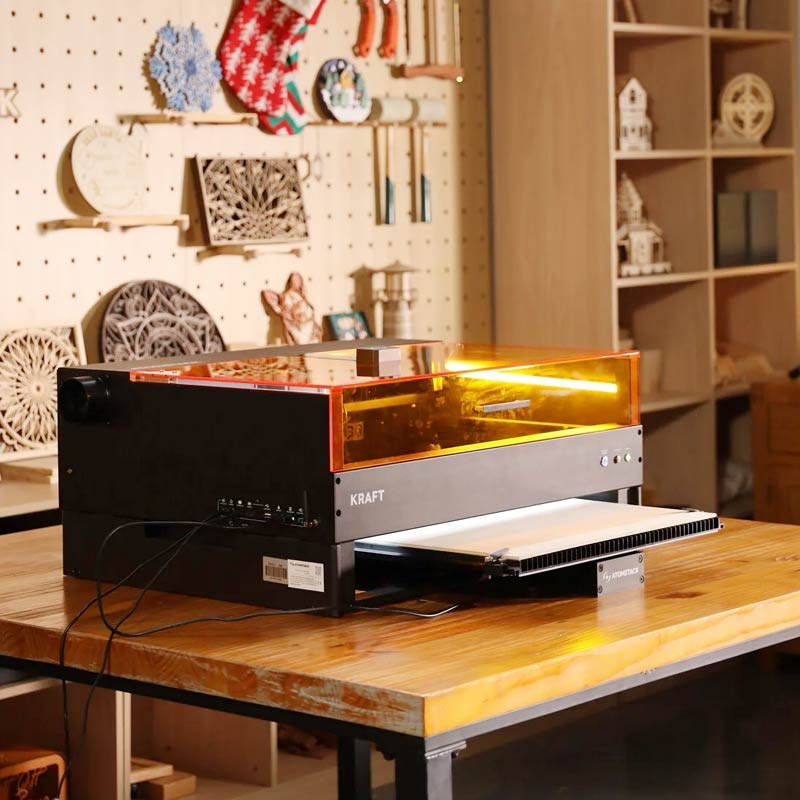
AtomStack Kraft Integrates diode and infrared in a single head, allowing you to work with different materials without changing the head or configuration, maintaining a smooth production and workflow.
As mentioned earlier, xTool’s F Series machines—such as the F1, F1 Ultra, and F2—are portable and integrate both a diode laser and an infrared laser into the same head, which are used alternately depending on the task.
The software also matters (a lot) when starting with laser
- xTool Studio: xTool's proprietary software designed for a guided and visual user experience, aimed at easing the start in laser engraving and cutting. It stands out for its simplified workflows, intelligent support functions, and a well-integrated connection with the xTool ecosystem, which reduces the learning curve and speeds up production when working with different materials or machines.
- AtomStack Studio: a more direct and technical approach, focused on the manual control of parameters such as power, speed, or the number of passes. It is a suitable option for users who prefer to adjust each task precisely and understand how the material responds in each engraving or laser cutting process, without relying on automation.
Both incorporate AI-supported functions and are compatible with LightBurn, allowing for scaling to a more advanced work environment when the level or volume of work demands it.
Common accessories that enhance functionality
Both xTool and AtomStack offer equivalent accessories to expand without changing the machine:
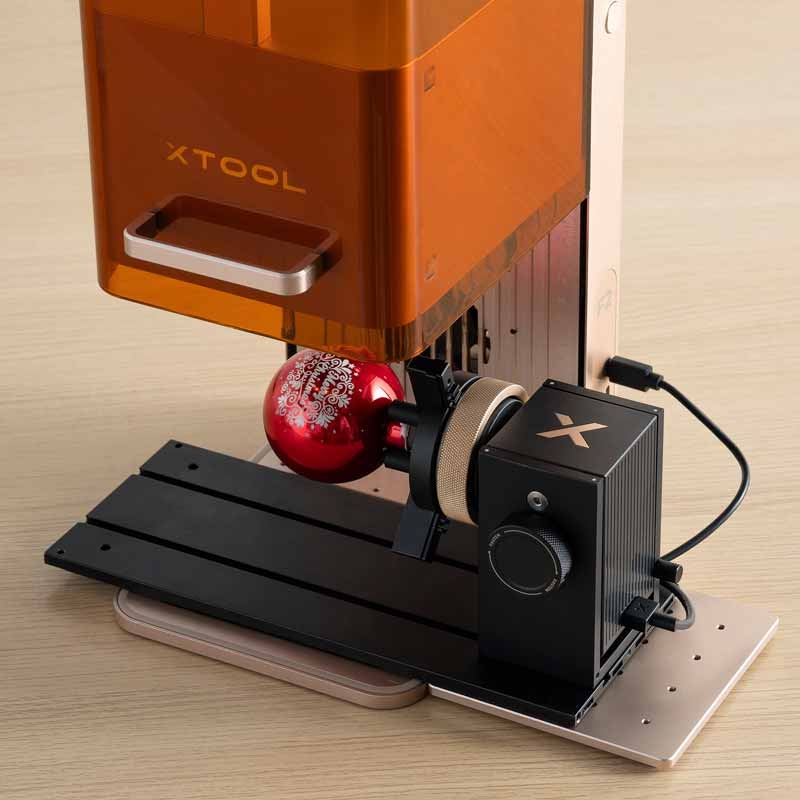
- Rotational accessory for engraving cylindrical objects
- Raising base for adjusting heights and working on irregular pieces
- Air filter for working indoors with greater comfort
- Automatic feeder for long pieces or mass production
Which one to choose for your needs?
- Which machine is best to start with at home or in a small workshop?Both xTool and AtomStack allow you to start without significant infrastructure. The key lies in the type of work you want to do and whether you need more versatility or more production from the outset.
- I want to offer a variety of products, including metal, what option suits me?The dual laser machines (diode + infrared) are the most flexible option for engraving organic materials and marking metal with the same machine.
- My idea is to regularly cut material and produce in volume, what should I choose?A CO₂ laser machine is most suitable when the aim is actual cutting and continuous work on wood or acrylic.
- I want to do engravings at fairs, events, or directly on the piece, is there an option designed for that?Yes. xTool offers portable laser machines, designed for on-site engravings when it's not possible to move the piece to a fixed machine.
- I have a craft workshop and want to create embossing or deep work, is the laser sufficient?In that case, a CNC router, such as the one from AtomStack, expands the possibilities compared to a laser and allows for embossing and machining work.
- Can the machine's capabilities be expanded with accessories?Yes. Accessories such as a rotary tool, riser base, air filter, or automatic feeder allow for increased versatility and growth without needing to change the machine.
So, xTool or AtomStack? Both offer the same capabilities in laser engraving and cutting; the difference lies in their focus. xTool stands out for its flexibility, portability, and ecosystem, whereas AtomStack offers an equally valid alternative for beginners, with a more economical investment and the option to incorporate CNC milling for a more handcrafted finish.
It is not about choosing the best machine, but the one that best suits how you want to work from day one.
If you have any questions, share them with us in the comments. Our team will be delighted to provide you with answers and assistance. You can also contact our Customer Service department directly for further help.
Remember that on our social media, we post a great deal of ideas, offers, and the latest news related to various personalisation techniques daily. To stay updated with everything, follow us on Instagram and TikTok. And don't forget to subscribe to our YouTube channel to keep learning with us!
👇 Other articles that may be of interest to you:
🔥 What type of laser do you really need for your business?
🚀 Sublimation Paper: The Ultimate Guide for Professionals

🙋♂️How to store DTF prints and maximize their durability

🏞️Express personalisation on the Camino de Santiago: what to sell and how to do it in minutes
WE WANT TO KNOW WHAT YOU THINK
You may also like